How content filters cause it.
Context / Problem I want to comment on YouTube videos and contact creators. But on university Wi‑Fi, my YouTube comment section is disabled with this message:
Restricted Mode "On"
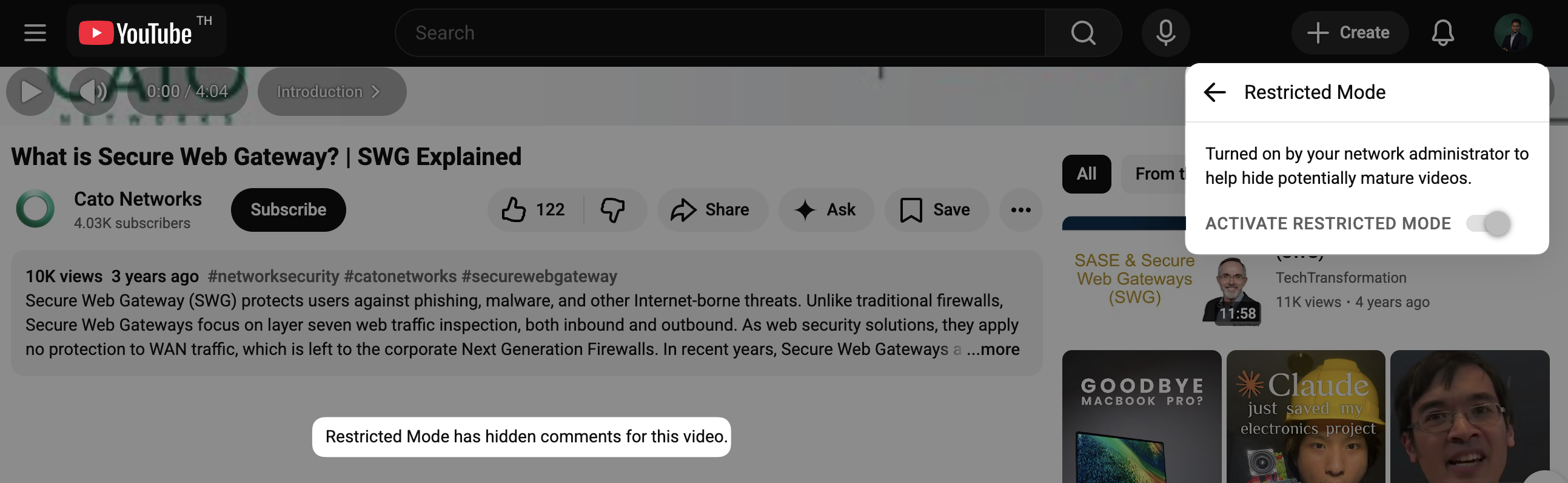
How I found the cause
- I noticed that on the same account and device, YouTube comments work fine when I’m not on university Wi‑Fi (e.g., through a VPN or mobile data), but are hidden on campus Wi‑Fi.
- That strongly suggests the restriction is coming from the network, not from my YouTube account or browser settings.
- After a bit of investigation, I concluded that the university is using a Secure Web Gateway (SWG) / content filter appliance that forces YouTube into Restricted Mode for all users on that network.
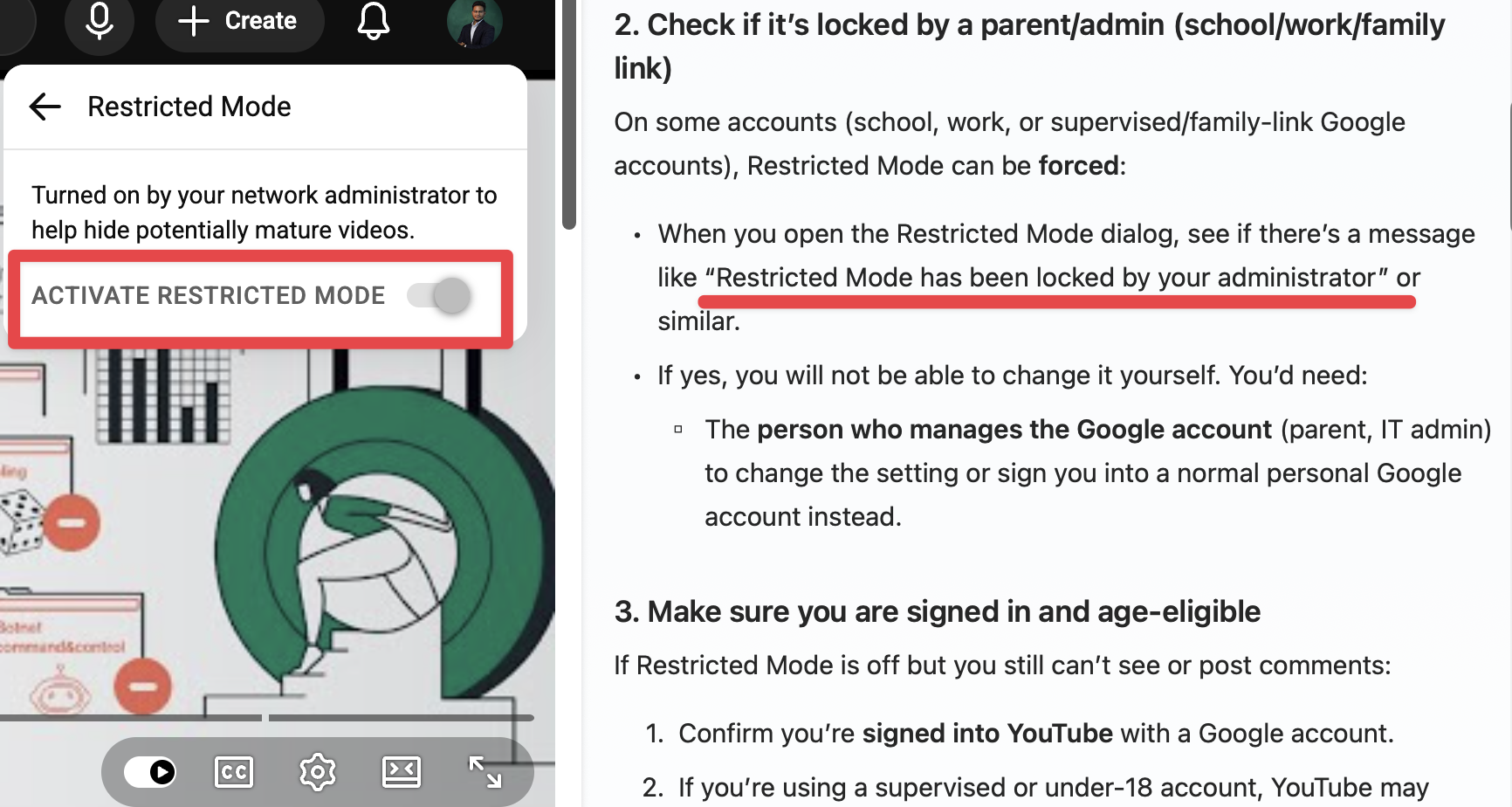
What a Secure Web Gateway is (quickly)
A Secure Web Gateway (SWG) is a security system that sits between users and the internet. It:
- Inspects web traffic leaving the network.
- Applies central policies (e.g., block adult sites, enforce SafeSearch, force YouTube Restricted Mode).
- Logs and controls what categories of content can be accessed.
In other words, instead of each user deciding what’s allowed, the network enforces a single policy for everyone.
I watched this to get a quick overview: What is Secure Web Gateway? | SWG Explained
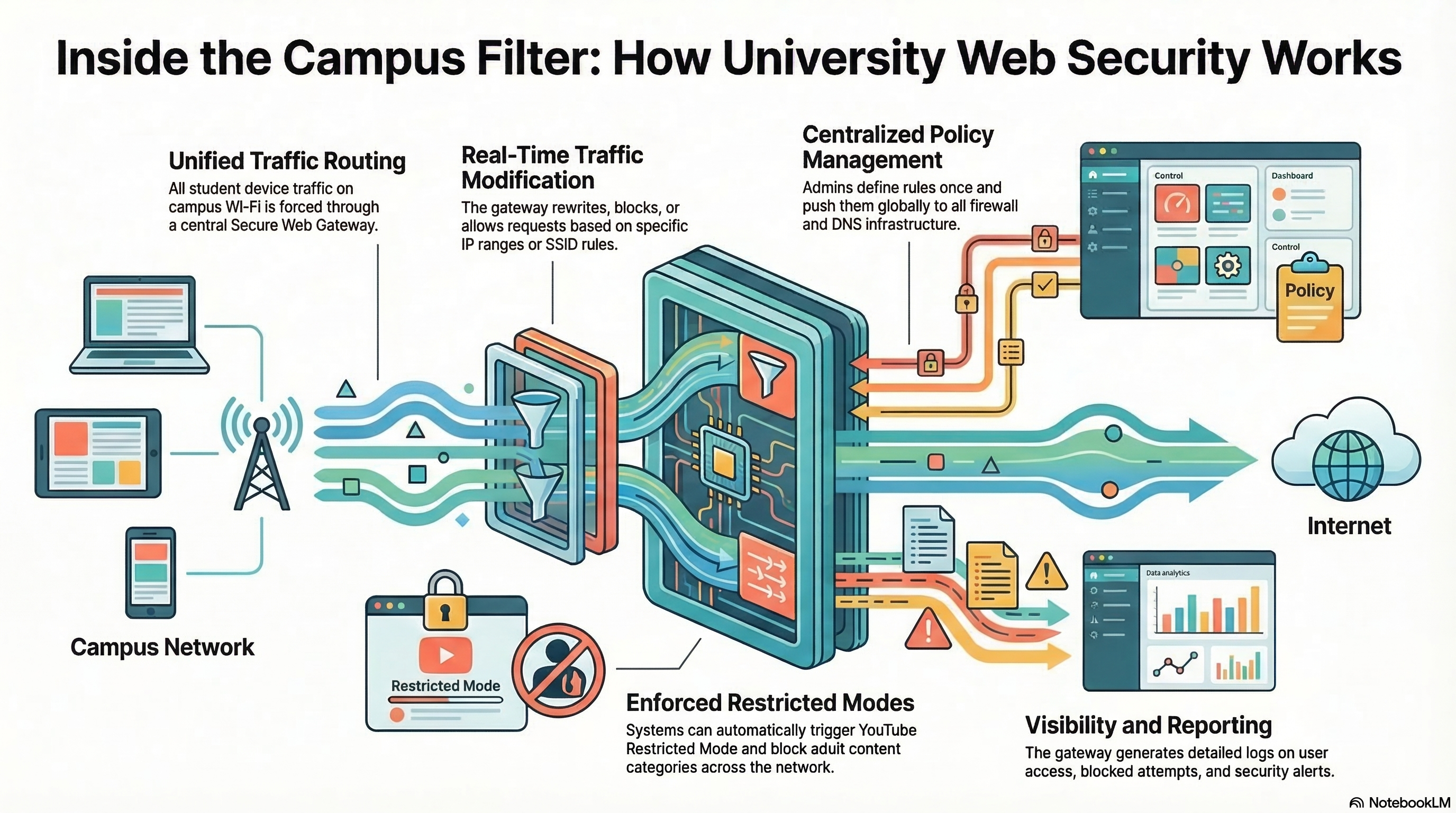
Architecture (high‑level view)
- My device → University Wi‑Fi → Firewall / Secure Web Gateway → Internet → YouTube
- The Secure Web Gateway uses policies defined by the university IT team.
- One of those policies likely says: “For student networks, always enable YouTube Restricted Mode.”
Because all my YouTube traffic is passing through that gateway, YouTube treats my connection as if Restricted Mode must be on, even if I try to turn it off in my account.
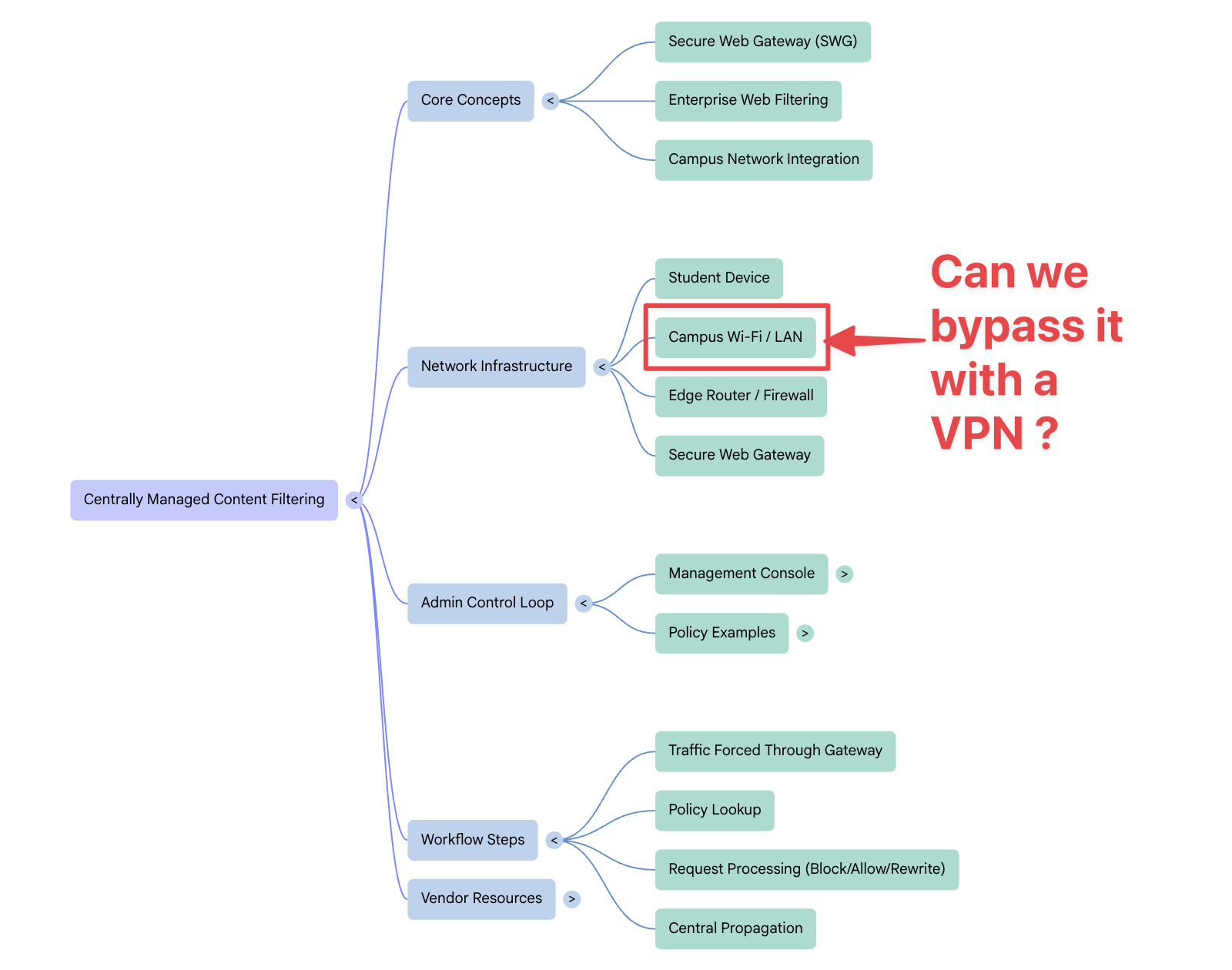
Why a VPN Fixes It
What the VPN Is Doing Here On normal university Wi‑Fi, one of these is happening:
- The university network is forcing YouTube into Restricted Mode.
- A router‑ or firewall‑level filter (content filtering, SafeSearch, DNS rules) is enforcing it.
- Some central security system (the SWG) is inspecting and controlling web traffic.
Once VPN is “Connected” — the problem is solved.
Please use this ethically. University content filters are usually there to comply with policies, laws, or institutional rules. Understanding how they work is useful, but any workaround (like a VPN) should be used responsibly and ethically, in line with local regulations and university policies.